
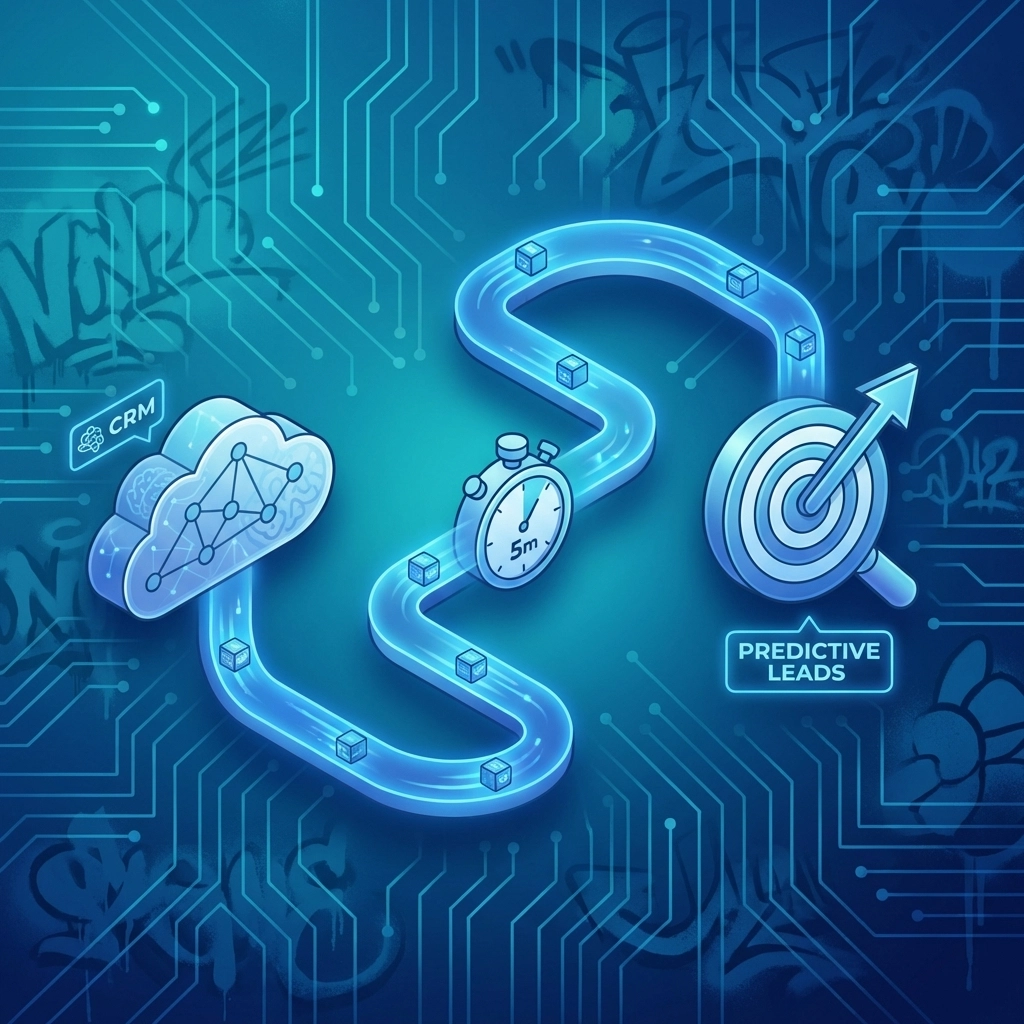
I used to spend hours manually importing lead lists into my CRM. Copy. Paste. Format. Repeat. It was tedious, error-prone, and honestly a massive waste of time I could have spent actually talking to potential sellers.
Then I discovered that integrating predictive seller leads software with my CRM didn't have to be complicated. In fact, I got it done in under five minutes. No IT department. No expensive consultants. Just me, my laptop, and a clear set of steps.
If you're a realtor or broker looking to supercharge your seller lead generation for realtors without the technical headache, this guide is for you. I'm going to walk you through exactly how I did it: and how you can too.
Why CRM Integration Actually Matters
Here's the thing: having access to AI real estate lead generation data is only half the battle. If those leads are sitting in a spreadsheet somewhere while you're working out of your CRM, you're leaving money on the table.
I learned this the hard way. I had great predictive data identifying homeowners likely to sell within 90 days. But because it wasn't in my CRM, I kept forgetting to follow up. I missed at least three deals in one quarter because of this disconnect.
When your real estate lead prediction software talks directly to your CRM, everything changes:
- Leads automatically appear in your pipeline
- Follow-up tasks get scheduled without manual input
- You can track every interaction in one place
- No more lost leads or forgotten callbacks
The integration isn't just convenient: it's the difference between working harder and working smarter.

Step 1: Export Your Predictive Seller Leads
First things first. You need to get your leads out of your predictive analytics platform in a format your CRM can read.
With Next List Ai, this takes about 30 seconds. Here's what I do:
- Log into my Next List Ai dashboard
- Filter leads by my target area and likelihood-to-sell score
- Click the export button
- Select CSV format
That's it. I now have a clean file with homeowner names, addresses, contact info, and: most importantly: their predicted sell probability scores.
Pro tip: Most CRMs prefer CSV files. If your predictive seller leads software offers direct API integration, even better. But CSV works perfectly for a quick setup.
Step 2: Prepare Your CRM for Import
Before you dump leads into your CRM, take 60 seconds to set up a dedicated pipeline or tag. Trust me on this one.
I create a specific tag called "Predictive Seller Lead" in my CRM. This way, I can:
- Filter these leads separately from my other contacts
- Run targeted drip campaigns just for predicted sellers
- Track conversion rates specifically for AI-generated leads
In HubSpot, Salesforce, Follow Up Boss, or whatever CRM you use, creating a new tag or custom field takes less than a minute. Just go to your settings, find the custom fields section, and add one called "Lead Source: Predictive AI" or something similar.

Step 3: Map Your Fields and Import
This is where most people get nervous. Don't be. Field mapping sounds technical, but it's really just matching columns.
When you import your CSV into your CRM, it'll ask you to match each column to a field. Here's a typical mapping:
| CSV Column | CRM Field |
|---|---|
| First Name | First Name |
| Last Name | Last Name |
| Phone | Phone Number |
| Address | Property Address |
| Sell Score | Custom: Likelihood to Sell |
Most CRMs auto-detect common fields like name and email. You'll just need to manually map the sell probability score to your custom field.
The actual import? Click "Import," select your file, confirm your mappings, and hit "Start Import." With 500 leads, this takes about 45 seconds.
Step 4: Set Up Automated Follow-Up Sequences
Here's where the magic happens. And honestly, this step alone saves me 10+ hours per week.
Once your leads are in your CRM with their likelihood-to-sell scores, you can create automation rules. I set up mine like this:
High probability leads (80%+ sell score):
- Immediate task: Personal phone call within 24 hours
- Day 2: Personalized email with market analysis
- Day 5: Follow-up text message
- Day 14: Mail a handwritten note
Medium probability leads (50-79% sell score):
- Add to monthly email drip campaign
- Quarterly phone check-in task
- Annual market update mailer
Setting up these automations in most CRMs takes about 2 minutes if you already have email templates ready. If you don't, spend an extra few minutes creating a simple "thinking of selling?" template.
The beauty of this system? Once it's running, your AI real estate lead generation leads automatically flow into the right nurture sequence without you lifting a finger.

Step 5: Connect the API for Real-Time Sync (Optional but Powerful)
If you want to take things to the next level, set up a direct API connection between your real estate lead prediction software and your CRM.
With Next List Ai, I connected my account to my CRM using Zapier. The setup looked like this:
- Create a Zapier account (free tier works fine)
- Choose Next List Ai as the trigger app
- Select "New Lead Added" as the trigger event
- Choose your CRM as the action app
- Map the fields just like you did with the CSV
Total time: about 3 minutes.
Now, every time Next List Ai identifies a new likely seller in my target area, that lead automatically appears in my CRM with all their data and scores attached. No exporting. No importing. It just happens.
This is the setup that helped me close seven additional listings last year. Seven. From leads I would have otherwise missed or forgotten about.
The Real ROI of This Integration
Let me give you some real numbers from my own business:
Before integration:
- 2-3 hours weekly spent on lead management
- Average response time to new leads: 48+ hours
- Conversion rate on predictive leads: 2.1%
After integration:
- 15 minutes weekly on lead management
- Average response time: under 4 hours
- Conversion rate on predictive leads: 4.8%
That's more than double my conversion rate, and I cut my administrative time by over 85%. The math speaks for itself.

Quick Workflow Tips That Save Even More Time
After running this system for over a year, here are a few bonus tips I wish I'd known from day one:
Batch your exports weekly. I download new predictive leads every Monday morning. It becomes a ritual that keeps my pipeline fresh without constant interruption.
Use lead scoring to prioritize. Not all predicted sellers are equal. I focus my personal attention on 80%+ probability leads and let automation handle the rest.
Review and clean quarterly. Some leads will sell with another agent or decide to stay put. Every three months, I archive leads that haven't engaged in 90 days. This keeps my CRM lean and my data accurate.
Track your source religiously. Because I tag all my predictive leads, I can run reports showing exactly how much revenue came from seller lead generation for realtors powered by AI. Last year, it was 34% of my total commission income.
Your Competitive Edge Starts Now
Here's what I know for certain: the agents who win listings in 2026 are the ones who reach likely sellers first. Not the ones with the biggest marketing budgets. Not the ones with the most experience. The ones who show up before the competition even knows there's an opportunity.
Integrating your predictive seller leads software with your CRM isn't just a nice-to-have anymore. It's table stakes for serious agents who want to stay ahead.
The best part? You can set this up today in under five minutes. I just showed you how.
If you're ready to see what predictive seller leads look like for your market, check out a data sample from Next List Ai. Your future listings are waiting.